What Receipts Does the IRS Actually Require?
Table of Contents
In short: The IRS requires adequate records for each deduction, showing the amount, the date, the payee and the business purpose, but not the paper original or any particular app. Clear digital copies such as photos, scans and PDFs are accepted, and the general rule is to keep records for at least three years from when you file. A bank statement alone is not enough.
Every freelancer has the same low-grade anxiety somewhere in the back of their mind: what if the IRS asks me to prove a deduction and I can't find the receipt? It's a reasonable thing to worry about, and also one of the most over-imagined. The IRS doesn't require a filing cabinet of paper originals or a particular app or format. What it requires is a lot simpler than most people assume, and also stricter than a shoebox of crumpled receipts you can't match to anything.
Disclaimer: This article provides general information only and does not constitute tax advice. Consult a tax professional, such as a CPA or enrolled agent, about your circumstances.
Here's what actually counts as an adequate record, how long you need to keep it, and what happens if you're ever asked to produce it and can't.
The Short Answer: Adequate Records, Not Perfect Paper
The IRS's own standard is documentation that's "adequate" to support what you claimed. It doesn't have to be the original paper receipt. It doesn't have to be organized in any particular software. It has to be able to answer, for any given deduction, four basic questions: how much, when, to whom, and why.
That's a much lower bar than most freelancers picture, but it's still a real bar, and "I'm pretty sure I bought something like that around then" doesn't clear it.
What Makes a Record "Adequate"
For a piece of documentation to hold up, it generally needs to show:
- The amount: what you actually paid, matching what you claimed on your return.
- The date: when the purchase happened, not just the year.
- The payee: who you paid, so it's clear this was a real business transaction with a real vendor.
- The business purpose: why this was a business expense and not a personal one. This is the piece people forget to capture and the hardest to reconstruct later. A $40 charge at a hardware store means nothing on its own; a $40 charge at a hardware store for supplies for a client's installation means everything.
A receipt usually covers the first three automatically. The business purpose is on you to note. Even a short line jotted down at the time saves you enormously if you're ever asked to explain a deduction a year or two later.
Digital Copies Are Fully Accepted
You do not need to keep the paper original. The IRS accepts clear digital copies of receipts (photos, scans, PDFs) as long as they're legible and capture the same information the paper version had. This has been true for years and is worth knowing, because it means there's no tax reason to hold onto a growing pile of fading thermal paper. A photo taken the moment you get the receipt is acceptable, and it's more reliable than the original, which will likely be unreadable by the time you need it.
How Long to Keep Records
The general rule of thumb is to keep records for at least three years from when you file. That said, certain situations extend the window considerably. For instance, if a return understates income by a significant amount, or if a filing is incomplete or disputed, the IRS can look back further than the standard period. Some records, like documentation tied to depreciation or a home office, are worth holding onto for as long as you're claiming that deduction, plus several years after. Rather than try to remember the exact cutoffs for every scenario, the safe default is simple: don't delete anything related to a filed return for at least three years, and check current IRS guidance or ask your tax pro if your situation involves a loss, a large discrepancy, or property you're depreciating.
What Actually Happens in an Audit Without Receipts
If you're audited and can't produce documentation for a deduction, you're not automatically out of luck, but you're in a much weaker position than you want to be in. Courts have, in some circumstances, allowed taxpayers to estimate expenses when records are incomplete, under what's known as the Cohan rule, named after a 1930s tax case. But relying on this is a fallback, not a plan: the IRS's recordkeeping requirements are what it actually expects you to meet. The IRS and courts still expect a reasonable, credible basis for any estimate, the burden of proof sits entirely with you, and vehicle expenses in particular are subject to stricter substantiation rules where estimates generally aren't accepted at all. In practice, "I'll just estimate if they ask" tends to mean disallowed deductions, back taxes, and penalties rather than a clean workaround.
Bank Statements Alone vs. Receipts
A lot of freelancers assume their bank or credit card statement is their backup. It helps, but it isn't sufficient on its own. A statement shows that money left your account and roughly when. It doesn't show what you bought, and it doesn't show why it was a business expense. A $65 charge at a big-box store could be printer paper or a birthday gift; the statement can't tell the difference, and neither can anyone reviewing it later, including you. Statements are useful for cross-checking that you haven't missed an expense, but they're a supplement to receipts, not a replacement for them.
Building a Receipt Habit That Holds Up
The freelancers who never worry about this have usually just made it a habit: capture the receipt the moment the purchase happens, note the purpose while it's still obvious, and let it sit somewhere organized rather than in a pile to be dealt with later. That habit is worth more than any specific app or filing system. It's the difference between a record that holds up and one that's a guess dressed up as a memory. Our guide to how to organize receipts for taxes sets that habit out step by step.
For what to do with those records once tax season arrives, see our guide on what to give your accountant as a freelancer, and for how those expenses should be sorted in the first place, read our Schedule C category breakdown. This kind of habit matters most in your first year of self-employment, when nothing is automatic yet. See our guide built specifically for freelancers getting their records in order from scratch.
Frequently Asked Questions
Does the IRS accept digital copies of receipts?
Yes. Scanned or photographed receipts are acceptable records, provided they're complete, legible and retrievable when needed. You don't need to keep the paper once a good digital copy exists.
How long should I keep tax receipts?
The general rule is at least 3 years from filing, and longer in some situations (like substantial underreporting). Keeping digital records longer costs nothing, so err on the side of keeping them.
What makes a receipt adequate for the IRS?
It should establish the amount, the date, the payee, and (combined with your records) the business purpose of the expense. A bank statement line alone is weaker evidence than an itemized receipt.
Make Recordkeeping Automatic
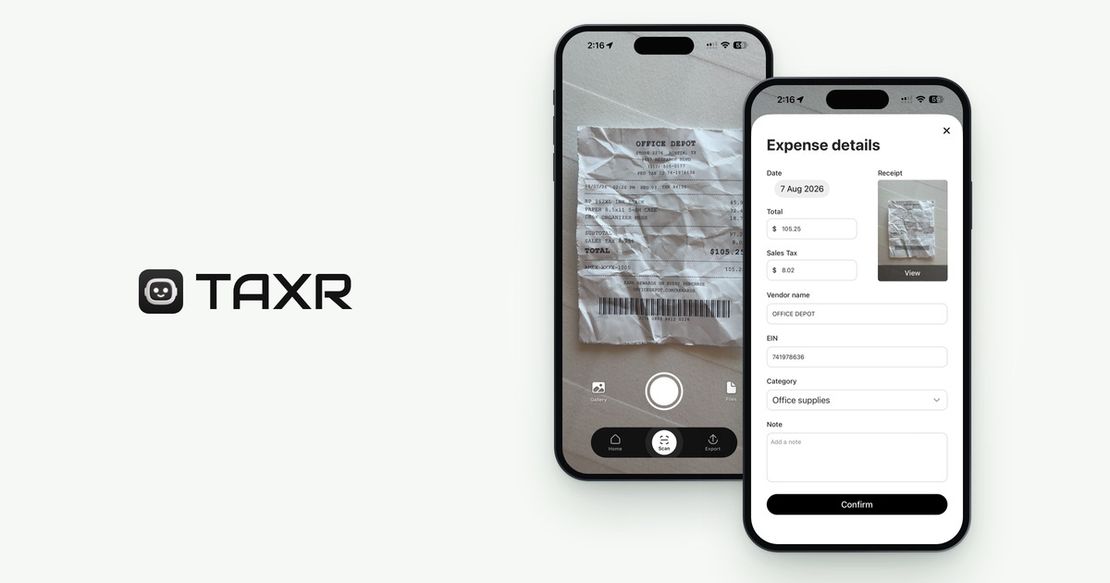
Taxr turns this from a discipline you have to maintain into something that just happens. Scan a receipt the moment you get it and the AI captures the amount, date, and vendor in seconds. The image is stored securely for as long as your account is open, so it's there if you ever need it, this year or three years from now. Add a quick note on the business purpose while it's fresh, and you've got a record that would hold up to scrutiny without a single spreadsheet.
Stop wondering whether you have "enough" documentation. Download Taxr and make every receipt count from the moment you get it.