Uber and Deliveroo Driver Taxes in the UK: How MTD Applies to Gig Drivers
Table of Contents
In short: HMRC treats self-employed Uber and Deliveroo drivers as sole traders, so gross platform earnings, combined across every app, count towards the Making Tax Digital thresholds: over £50,000 in 2024-25 means MTD from 6 April 2026, over £30,000 in 2025-26 from 6 April 2027, and over £20,000 in 2026-27 from 6 April 2028. Once in scope, you send HMRC quarterly category totals of income and expenses.
Driving for Uber, Bolt, Deliveroo, or Just Eat doesn't feel like running a business in the way a shop or a consultancy does. There's no office and no invoices, just the app telling you where to go next. But HMRC sees it differently: if you're picking up fares or drops as a self-employed driver or courier, you're a sole trader, and Uber driver taxes in the UK now come with the same Making Tax Digital obligations as any other self-employed income once you're over the threshold. Here's how it applies.
Disclaimer: This article provides general information only and does not constitute tax advice. Consult a qualified accountant or tax adviser about your circumstances.
Uber Driver Taxes UK: Where MTD Fits In
Platform earnings count as self-employment turnover, full stop, for passenger drivers and food and parcel couriers alike. The income HMRC looks at is your gross self-employment turnover for the tax year, and the same MTD thresholds and start dates apply as they would to any other sole trader:
- Over £50,000 in 2024-25: MTD from 6 April 2026
- Over £30,000 in 2025-26: MTD from 6 April 2027
- Over £20,000 in 2026-27: MTD from 6 April 2028
Driving full-time, especially across peak hours and surge pricing, can put full-timers over £50,000 in gross platform earnings well before their actual take-home reflects that. Our MTD threshold checker shows which wave your earnings put you in.
Multiple Platforms? They Combine
Plenty of drivers run more than one app at once: Uber and Bolt for rides, or Deliveroo and Uber Eats for food, switching between whichever has better demand at the time. For MTD purposes, your total self-employment turnover is what counts toward the threshold, not each platform assessed on its own. £27,000 from Uber and £26,000 from Bolt in the same tax year adds up to £53,000. That's over the April 2026 threshold, even though neither app alone would trigger it. If your platforms genuinely represent different trades rather than the same driving business, each trade needs its own quarterly updates, but the income from all of them still counts toward the threshold, so it's worth confirming how to set them up with an accountant. Our guide to how qualifying income is calculated covers this in more depth.
Why Per-Trip Earnings Aren't the Same as Profit
The app shows you a fare or a delivery fee, and it's easy to treat that number as your earnings. It isn't. It's turnover before any of your running costs come out. Fuel or charging, insurance, your phone, cleaning and valeting, servicing, and general wear on the vehicle all eat into that figure before you get to actual profit. MTD's quarterly updates ask for category totals of income and expenses, not just what the platform paid into your account, so the habit of tracking costs alongside earnings matters more once you're in scope, not less.
What Goes in Your Quarterly Update as a Driver
Once you're mandated, you'll submit four cumulative updates a year, each covering everything from 6 April to the end of that period:
| Period covered | Deadline |
|---|---|
| 6 Apr to 5 Jul | 7 August |
| 6 Apr to 5 Oct | 7 November |
| 6 Apr to 5 Jan | 7 February |
| 6 Apr to 5 Apr | 7 May (following tax year) |
Each update needs category totals rather than individual trip data. HMRC doesn't want your ride history; it wants your income and expenses grouped sensibly. For a driver, that typically means:
- Fuel or charging costs
- Phone costs: the business proportion of your bill, since the app runs through it all day
- Vehicle insurance: specifically hire-and-reward or private-hire cover, which is a separate product from ordinary personal car insurance
- Cleaning and valeting
- Servicing and repairs
- Parking, and any congestion or clean air zone charges incurred while working
Even in a quiet quarter (a slow month, an injury, a break between platforms), nil updates are still mandatory. Nothing earned or spent still means an update is due.
The Digital-Records Habit for an Office That's a Car
Most MTD advice assumes you've got a desk, a filing drawer, or at least a fixed place where paperwork accumulates. Drivers don't. Receipts happen at a fuel station between rides, at a car wash on a break, or at a phone shop when a screen cracks, and a paper receipt shoved in a door pocket doesn't survive a shift, let alone a full quarter. The only system that realistically works is the one already in your hand: your phone, at the point the receipt is issued.
It's also worth knowing that if you're mandated from April 2026, there are no penalty points for late quarterly updates in your first year (2026-27). Late tax returns and late payments are still penalised, though, so it's not a blanket pass. That first year is a genuine chance to get the capture habit built in before the points system starts counting. See our guide to what counts as digital records under MTD for more on what HMRC actually expects your records to look like.
How Taxr Fits Between Rides
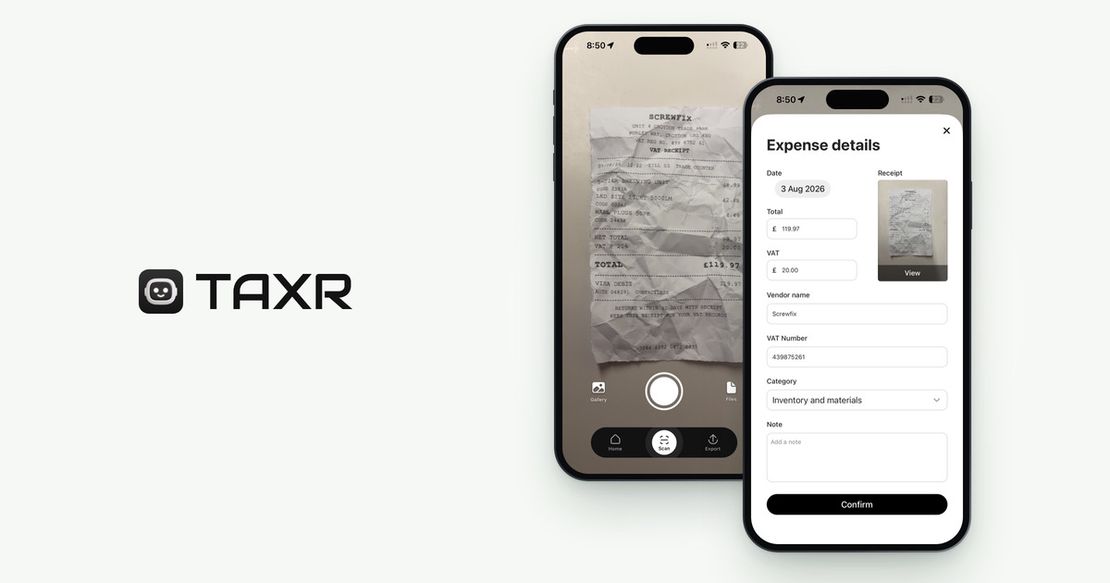
Taxr isn't MTD software and doesn't submit anything to HMRC. It's the records layer that captures expenses as they happen, wherever you are. Photograph a fuel receipt, a car wash ticket, or an insurance renewal, and Taxr's AI reads the vendor, date, total, and VAT, then suggests a tax-aligned category for you to confirm. At the end of each quarter, export an Excel or PDF report to hand to your accountant. If you file through your own MTD-compatible software, check whether it can import the Excel file: HMRC's guidance lets record-keeping and filing be two separate tools only if the records move between them through a digital link (importing a file counts; retyping the figures doesn't). For the broader picture of what you can claim, see our guide to UK sole trader allowable expenses.
Turn Trip Receipts Into Clean Records
Between rides, deliveries, and app switches, receipts are the easiest thing to lose, and they're now the thing MTD needs most. Build the five-second habit of scanning as you go, and quarterly updates stop being a scramble through old bank statements. Download Taxr free and keep your driving expenses organised from your next shift.