Tax Deductions for IT Contractors in Australia
Table of Contents
If you’re an IT contractor in Australia – whether you’re a software developer, systems engineer, data analyst, or cybersecurity consultant – you’re likely spending a significant amount on software, hardware, internet, and professional development. The good news is that most of these costs are tax-deductible. This guide covers every major tax deduction for IT contractors in Australia so you can keep more of your contract income.
Disclaimer: This article provides general information only and does not constitute tax advice. Consult a registered tax agent for advice specific to your circumstances.
Common Tax Deductions for IT Contractors
IT contractors have a wide range of deductible expenses. Some are obvious, others are easy to overlook. Here’s a comprehensive list of what you can claim:
Software Licences and Subscriptions
Software is a core business expense for IT contractors, and subscription costs are fully deductible for the work-related portion. Common claims include:
- IDEs and development tools – JetBrains (IntelliJ, PyCharm, WebStorm), Visual Studio, Sublime Text licences
- Cloud services – AWS, Azure, Google Cloud Platform accounts used for development, testing, or hosting
- Source control and collaboration – GitHub, GitLab, or Bitbucket paid plans
- Productivity and project tools – Jira, Confluence, Slack, Notion, Linear
- Design and documentation – Figma, Miro, draw.io Pro, Lucidchart
- Security tools – VPN subscriptions, password managers (1Password, Bitwarden), antivirus software
- Accounting and invoicing software – Xero, MYOB, QuickBooks, or Rounded
- Domain names and hosting – for portfolio sites, side projects used to attract clients, or development environments
- AI coding tools – GitHub Copilot, ChatGPT Plus, or other AI subscriptions used for work
An IT contractor running JetBrains All Products ($420/year), GitHub Pro ($60/year), AWS development costs ($100/month), a VPN ($120/year), and accounting software ($360/year) is already looking at over $2,160 per year in software deductions alone.
Phone and Internet
Your phone and internet connection are essential work tools. You can claim the work-related percentage of these costs:
- Internet – if you work from home and use your connection for video calls, deploying code, and accessing remote systems, your work-use percentage is likely 50–80%. A $100/month internet plan at 70% work use gives you $840 per year in deductions.
- Mobile phone – calls with clients, two-factor authentication, testing mobile apps. Keep a diary for a representative four-week period to establish your work-use percentage.
Professional Memberships
Membership fees for professional bodies related to your work are deductible:
- Australian Computer Society (ACS) – membership fees are fully deductible
- IEEE, ACM, or similar international bodies – if relevant to your area of work
- Local meetup or user group fees – if you pay for membership in professional tech communities
Home Office Deductions
Most IT contractors work from home at least part of the time. The ATO allows two methods for claiming home office expenses:
Fixed Rate Method (67 cents per hour)
- Claim 67 cents for every hour you work from home
- Covers electricity, internet, phone, stationery, and computer consumables
- You still claim equipment depreciation separately on top of this
- Keep a record of hours worked from home (a timesheet, calendar, or project tracking tool)
An IT contractor working from home 40 hours per week for 48 weeks would claim $1,286.40 per year under this method – and that’s before equipment depreciation.
Actual Cost Method
- Calculate the actual proportion of household costs attributable to your work
- Includes electricity, internet, phone, and office-specific costs
- Requires detailed records of all expenses and a dedicated workspace
- Can result in a larger deduction if your home office running costs are high
If you have a dedicated home office – a spare room set up as your workspace – consider calculating the actual costs. You may be able to claim a percentage of your rent or mortgage interest attributable to that room as occupancy expenses (though the CGT implications for homeowners are worth discussing with a tax agent).
For a deeper look at home office claims, check out our home office deduction calculator guide.
Vehicle and Travel Expenses
IT contractors typically don’t drive as much as tradies, but there are still legitimate travel claims:
- Travel to client offices – if you work from home and attend client sites for meetings, workshops, or on-site work, this travel is deductible. You can claim using the cents per kilometre method (85 cents/km, capped at 5,000 km) or the logbook method.
- Co-working space commute – if you use a co-working space rather than a permanent office, travel to and from it may be deductible depending on your circumstances.
- Conference and event travel – flights, accommodation, and meals for work-related conferences (e.g., YOW!, NDC Sydney, or AWS re:Invent)
- Parking and tolls – at client offices or co-working spaces
- Ride fares and public transport – Uber, taxi, bus, or train fares to work-related destinations
Important: Travel between your home and a regular permanent workplace is generally not deductible. But if you’re a contractor who works from home and travels to different client sites, each of those trips is a work-related journey.
Equipment and Tools
Hardware is a major expense for IT contractors, and the ATO lets you claim the work-related portion. How you claim depends on the cost:
- Items costing $300 or less – claim an immediate deduction in the year of purchase
- Items costing more than $300 – depreciate over the effective life, or use the instant asset write-off if eligible
Common hardware deductions for IT contractors include:
- Laptop or desktop – a MacBook Pro, ThinkPad, or custom-built workstation (effective life: 4 years)
- External monitors – 27-inch 4K displays or ultrawide monitors for coding
- Keyboard and mouse – mechanical keyboards, ergonomic mice
- Headset or microphone – for video calls and pair programming sessions
- Webcam – for remote meetings with clients and teams
- Desk and chair – ergonomic office furniture (effective life: 10 years for desks, 10 years for chairs)
- Networking equipment – routers, switches, Ethernet cables for a reliable home network
- External storage – SSDs, NAS devices for backups
- Docking stations and adapters – USB-C hubs, dongles, cables
Example: You buy a $3,200 MacBook Pro and use it 90% for work. Over a 4-year effective life, you’d claim $720 per year ($3,200 x 90% / 4 years). If you’re eligible for the instant asset write-off, you could claim $2,880 (90% of $3,200) in the year of purchase instead.
Professional Development and Certifications
The tech industry moves fast, and the ATO recognises that keeping your skills current is a legitimate work expense. You can claim self-education expenses that maintain, improve, or extend skills you use to earn your income:
- Cloud certifications – AWS Solutions Architect, AWS Developer, Azure Administrator, Google Cloud Professional. Exam fees and study materials are deductible.
- Security certifications – CISSP, CEH, CompTIA Security+. These can cost $500–$1,000+ per exam.
- Online learning platforms – Udemy, Pluralsight, Coursera, LinkedIn Learning, A Cloud Guru, or O’Reilly subscriptions
- Technical books – whether physical or e-books, if they relate to your current work
- Conference tickets – YOW!, NDC Sydney, PyCon AU, RubyConf AU, AWS Summits
- Workshops and bootcamps – intensive courses on new frameworks, languages, or methodologies
The training must relate to your current income-earning activity. An IT contractor can’t claim a barista course, but a course on Kubernetes, machine learning, or a new programming language you’re using for client work is a legitimate deduction.
Record-Keeping Tips for IT Contractors
The ATO requires you to keep records for five years from the date you lodge your return. For IT contractors with dozens of software subscriptions, hardware purchases, and professional development expenses, that means staying organised.
Key record-keeping tips:
- Scan receipts immediately – don’t let them pile up. The ATO accepts digital copies as valid proof.
- Keep a work-use diary – for four representative weeks, record how you split phone, internet, and equipment use between work and personal purposes. This establishes your claim percentage.
- Track home office hours – use a timesheet, calendar entries, or project tracking tool to record hours worked from home.
- Keep subscription invoices – most SaaS providers email invoices monthly or annually. Set up a folder to store them.
- Maintain a vehicle logbook – if you claim car expenses using the logbook method, keep a 12-week logbook and retain it for five years.
For more general tips on maximising your deductions, check out our guide on 5 tax deduction tips every freelancer should know.
Track IT Contractor Deductions with Taxr
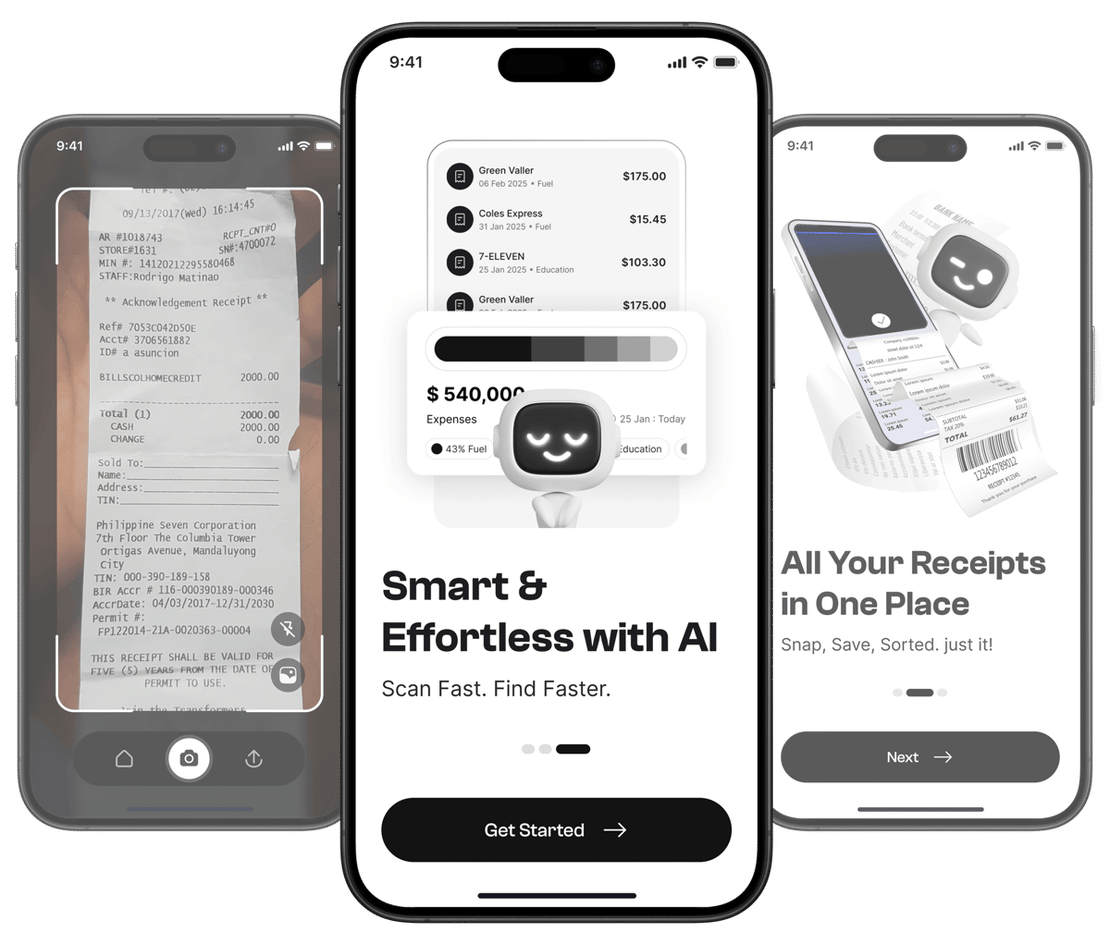
Between software subscriptions, hardware purchases, home office costs, certifications, and travel, IT contractors have a substantial range of deductions available – but only if the records are there to support them. Taxr makes it effortless: scan each receipt with your phone, let the AI extract the details and auto-categorise it, and export a clean summary for your tax agent at the end of the financial year. No spreadsheets, no chasing invoices, no missed deductions. Download Taxr and start keeping more of your contract income.