Simplified Expenses for UK Sole Traders: How Flat Rates Work
Table of Contents
In short: HMRC's simplified expenses let UK sole traders, and partnerships with no limited company partner, claim flat rates instead of actual costs, most commonly a rate per business mile and a monthly amount for working from home based on hours worked. Limited companies can't use them, you still keep a mileage or hours log, and the current rates are on gov.uk.
If you drive for work or do some of your work from your kitchen table, you've probably wondered whether it's worth calculating the exact cost of every mile or every kilowatt-hour. HMRC has a shortcut for this called simplified expenses: a set of flat rates you can claim instead of working out actual costs for specific parts of your business. It isn't a legal requirement and it isn't for everyone, but for a lot of UK sole traders it removes a genuinely tedious slice of admin. Here's how it actually works, who's allowed to use it, and how to think about whether it's worth it for you.
Disclaimer: This article provides general information only and does not constitute tax advice. Consult a qualified accountant or tax adviser about your circumstances.
What simplified expenses are
Normally, claiming a business expense means working out its actual cost and, where something is used for both business and personal life, apportioning it fairly. Simplified expenses swap that calculation for a flat rate, for a specific, limited set of costs. You don't tot up receipts or work out a percentage; you just apply HMRC's rate to a simple measure like miles driven or hours worked.
It's optional, and it only applies to the expense types it covers. The two most commonly used by sole traders are vehicle mileage and working from home, covered below. Everything else you spend on the business (stock, tools, software, phone bills, marketing) is still claimed the normal way, using your actual costs and your actual records.
Flat-rate mileage
If you use a vehicle for business, you normally have two options for claiming the cost. The first is working out your actual costs (fuel, insurance, servicing and repairs, plus capital allowances on the vehicle itself) and apportioning the business share. The second, under simplified expenses, is to skip all of that and claim a flat rate per business mile instead.
You still need to keep a mileage log to support the claim: the date of each trip, the destination or business purpose, and the miles driven. That log is your evidence, in exactly the same way a fuel receipt would be under the actual-costs method. You're just recording miles instead of pound signs.
The rate itself changes from time to time and differs depending on the vehicle, so don't rely on a number you've seen somewhere else, including this article. Check the current mileage rates on gov.uk before you claim.
Flat-rate use of home by hours worked
If you work from home, the actual-costs method means apportioning a slice of household bills (heating, electricity, internet and so on) based on how much of your home and time is used for business. It's fiddly, and it means keeping records of bills you'd probably keep anyway, plus a defensible method for splitting them.
Simplified expenses replace that with a flat monthly amount based on how many hours you worked from home that month. No heating or electricity bills to apportion and no method to defend, just an hours-worked total you can support. The flat rate doesn't include phone or internet, though, so you still claim the business share of those at actual cost.
As with mileage, the exact amounts and hour bands are set by HMRC and reviewed periodically, so check the current rates on gov.uk rather than assuming last year's figures still apply.
Who can use simplified expenses
Simplified expenses are available to sole traders and business partnerships, but only where no partner in that partnership is a limited company. If your business operates through a limited company, simplified expenses aren't available to you at all; companies calculate and claim actual costs through their own accounts.
This matters because plenty of people move between structures, or run a sole trader business alongside a separate limited company. The flat rates follow the person or partnership doing the trading, not the vehicle or the home itself.
The trade-off vs actual costs
The appeal of simplified expenses is obvious: less admin. You're not hunting down every fuel receipt or building a spreadsheet to apportion your broadband bill. You keep a simpler log instead, and the calculation at year-end is quick.
What it doesn't guarantee is the bigger deduction. Flat rates are averages, built to be reasonable for typical use rather than around your specific costs. If your actual costs are meaningfully higher than the flat rate would give you (high business mileage in a fuel-thirsty vehicle, say, or a large share of your home given over entirely to work), actual costs could work out to a bigger claim.
There's no universal answer here, and we're not going to pretend there is one without the current rate figures in front of us. That's exactly why we're pointing you to gov.uk rather than guessing. It's worth comparing both methods for your own situation, at least in your first year of using either, before assuming simplified expenses is automatically the easier or better choice.
What records you still need either way
It's worth being clear about what simplified expenses actually save you: admin on one or two specific costs. It doesn't touch anything else. You still need normal records (receipts, invoices, and a digital record of each) for materials, phone bills, software subscriptions, professional fees, marketing, and every other allowable business expense. Our guide to allowable expenses for UK sole traders covers what's claimable more broadly.
And simplified expenses aren't a free pass on evidence for the costs they do cover, either. You still need the mileage log or the hours-worked log behind the claim. HMRC can ask to see it, same as any other business record. If you're within Making Tax Digital, keep that log alongside your other digital records; see what counts as a digital record under MTD for what that means in practice.
How to decide
A practical approach: check the current rates on gov.uk's simplified expenses page, then do a rough estimate of what your actual costs would come to for the same period. If the flat rate is close to or bigger than your actual-cost estimate, simplified expenses probably wins on both admin and outcome. If your actual costs look meaningfully higher, it might be worth the extra record-keeping to claim them instead.
Either way, whatever figure you land on for mileage or use of home still needs to be included in your business's expense totals. If you're mandated into Making Tax Digital, those totals are what feed your quarterly updates, reported by category rather than receipt by receipt.
Where Taxr fits
Simplified expenses only ever cover a couple of specific costs. Everything else (every material, every subscription, every phone bill, every other receipt that lands in your inbox or your pocket) still needs capturing and categorising, whichever method you choose for mileage or home costs.
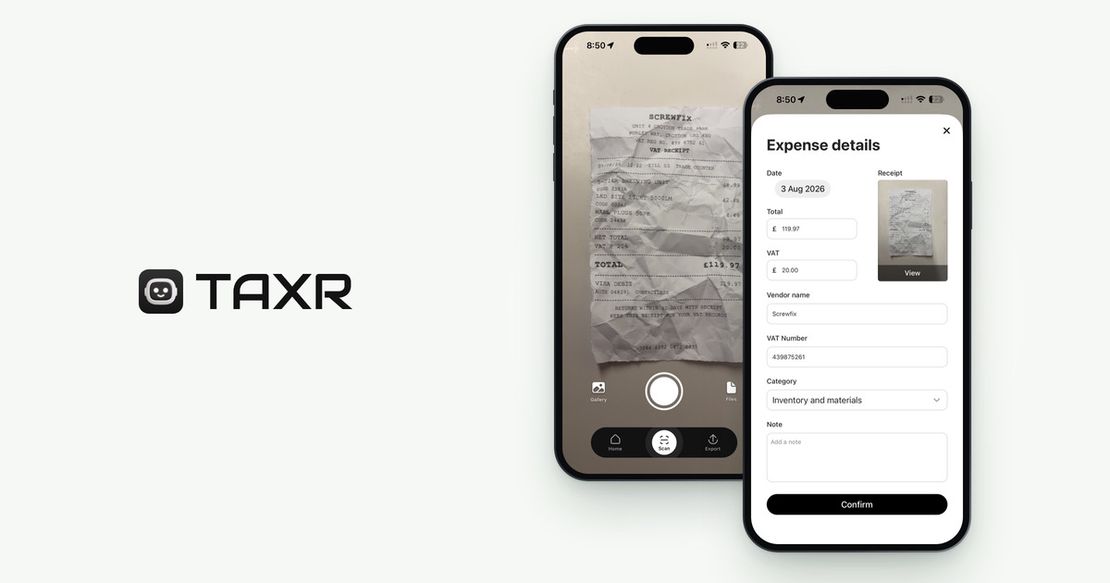
That's the gap Taxr fills. Photograph a receipt and Taxr's AI pulls out the vendor, date, total and VAT automatically and suggests a tax-aligned category, ready to export as Excel or PDF for your accountant, or for your MTD software if it can import the Excel file. It's not a mileage tracker and it won't calculate your use-of-home claim. What it does is keep digital expense records for everything simplified expenses doesn't cover, so the one flat-rate decision you do have to make isn't buried under a backlog of paper receipts.
Download Taxr and start free with your next receipt.