Schedule C Expense Categories, Explained Line by Line
Table of Contents
In short: Schedule C (Form 1040) is where US sole proprietors and single-member LLCs report business income and expenses to the IRS. Expenses go on fixed numbered lines such as advertising, car and truck expenses, contract labor, office expense, supplies, travel and meals, and the net profit left over is what income tax and self-employment tax are calculated on. A home office has its own separate calculation.
Roughly 31 million Schedule C returns get filed with the IRS every year, according to its own Statistics of Income data. That's one for nearly every freelancer, gig driver, consultant, and side-hustler who earned 1099 income. And yet a huge share of those filers do the exact same thing every April: dump a shoebox of receipts on the kitchen table and try to remember, six months later, whether that Target run was office supplies, a client gift, or something that doesn't belong on the return at all. Schedule C expense categories aren't complicated once you know what belongs where. The real problem is that most freelancers only look at them once a year, when the details are already gone.
Disclaimer: This article provides general information only and does not constitute tax advice. Consult a tax professional, such as a CPA or enrolled agent, about your circumstances.
This guide walks through every expense line on Schedule C that a typical freelancer or independent contractor actually uses, what belongs in each one, where people miscategorize, and why sorting expenses as they happen beats reconstructing a year of spending from memory.
What Schedule C Actually Is
Schedule C (Form 1040), "Profit or Loss From Business," is where sole proprietors and single-member LLCs report income and expenses from a trade or business. Part I covers income. Part II is expenses: a fixed set of numbered lines the IRS expects your spending to be sorted into before the total flows down to your net profit. That net profit is what gets taxed, and what your self-employment tax is calculated on, so every dollar you correctly categorize as a business expense is a dollar that isn't taxed twice.
The Categories, Line by Line
Here's what belongs in each of the expense lines a freelancer is most likely to use:
- Advertising: website hosting and domain costs tied to promoting your business, paid ads, business cards, portfolio site fees, sponsorships of events where you're marketing your services.
- Car and truck expenses: either the standard mileage method or actual vehicle costs (fuel, maintenance, insurance, depreciation), not both, for business driving. Commuting from home to a single regular workplace generally doesn't count.
- Commissions and fees: referral fees, affiliate payouts, and platform commissions you pay out (an Etsy or Upwork service fee), not fees a client pays you.
- Contract labor: money paid to other freelancers or contractors who helped you deliver the work, such as a subcontracted editor or developer. This is not your own income or your own self-employment tax.
- Depreciation (and Section 179): the cost of equipment or property expected to last more than a year, like a camera body or a laptop, spread over time or in some cases deducted upfront. The rules here get technical fast, so this is a good line to hand to tax software or a pro rather than eyeball yourself.
- Insurance: business liability coverage, equipment insurance, errors and omissions coverage. Not health insurance, which is handled elsewhere on your return.
- Interest: interest paid on a business loan or business credit card.
- Legal and professional services: bookkeeping and accounting fees, attorney fees for contracts, and the business-related portion of tax prep costs.
- Office expense: smaller consumables and services that keep the business running day to day: postage, printer ink, cloud storage, a portion of certain software subscriptions.
- Rent or lease: office or studio space and equipment leases. Your home office has its own separate calculation and doesn't go here.
- Repairs and maintenance: keeping business equipment or property in working order.
- Supplies: materials that get used up doing the work itself: a photographer's props, a cleaner's chemicals, a personal trainer's resistance bands.
- Taxes and licenses: business licenses, permits, the employer share of payroll taxes for any employees, and certain other business-related taxes.
- Travel: flights, hotels, and ground transportation for business trips away from your regular work area.
- Meals: business meals with a clear business purpose. These are only partially deductible, and the exact percentage has moved between tax years (it was temporarily bumped up as pandemic-era relief before reverting), so check current IRS guidance rather than assume the whole bill counts.
- Utilities: for a dedicated business location. Home utilities run through the home office calculation instead.
- Wages: pay to actual W-2 employees. Your share of their payroll taxes goes under taxes and licenses, not here.
- Other expenses: the catch-all line for anything that doesn't fit above: subscriptions, professional memberships, bank fees, continuing education tied to your current work.
For the full mechanics of the self-employment tax that applies to what's left after these deductions, see our self-employment tax explainer.
Where Freelancers Get It Wrong
A few miscategorizations show up constantly:
- Office expense vs. home office. The home office deduction covers a share of the home itself: rent or mortgage interest, utilities, insurance and repairs. Things you buy for the workspace, like a desk lamp or printer ink, go on their own lines (office expense, supplies or depreciation), even if you use the simplified home office method. Mixing the two means you either double-count or drop a deduction entirely.
- Contract labor vs. wages. Paying another freelancer for a project is contract labor. Paying an actual employee, even a part-time one, is wages, and comes with a different tax form (W-2 vs. the 1099-NEC you'd issue a contractor).
- Travel vs. meals vs. entertainment. A client dinner is a meal. Tickets to a game with that same client generally aren't deductible as a business expense at all, even if business got discussed.
- Software dumped into "other" inconsistently. Subscriptions can usually sit under office expense or other. What actually matters is picking one and staying consistent year over year, so your records (and your accountant) aren't guessing which bucket a tool landed in last time.
None of these mistakes are really about tax law. They're about not remembering, months later, what a purchase was actually for, which is exactly what happens when categorizing only occurs once a year.
Why Sorting as You Go Beats April Archaeology
Every receipt you file the day you get it comes with context: what it was for, which client or project it related to, whether it was really a business expense at all. Wait six months and that context is gone. You're left guessing, and guessing tends to go one of two ways. Either you're conservative and skip a legitimate deduction because you can't remember the purpose, or you're generous and claim something that wouldn't hold up if the IRS ever asked. Both cost you: one in taxes paid, the other in audit risk.
Sorting as you go also means your Schedule C total isn't a surprise in April. You already know roughly where you stand, category by category, which makes quarterly estimated payments easier to plan and removes the annual scramble entirely.
How Taxr Maps Every Receipt Automatically
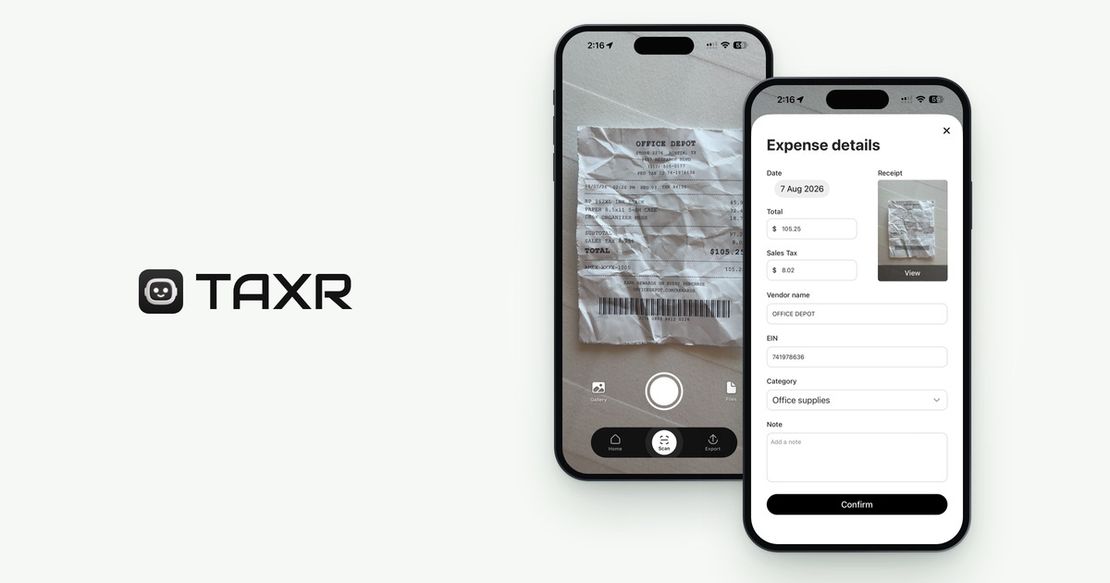
Taxr is built around exactly this problem. Scan a receipt with your phone camera and the AI reads the vendor, date, and amount, then suggests a Schedule-C-aligned category for you to confirm, so you're not trying to remember in April whether a purchase was supplies or office expense. If the suggestion is wrong, pick a different category before you save.
By the time tax season arrives, your expenses are already organized the way your return needs them, with the receipt image stored alongside each one to back it up. For a broader look at how receipt scanning tools stack up, see our roundup of the best receipt scanner apps in 2026, and for what a complete, audit-ready record actually requires, read what receipts the IRS actually requires.
Start Sorting Before You Need To
Schedule C only has so many lines, and now you know what goes in each one. The freelancers who spend the least time on taxes aren't the ones who understand the tax code best. They're the ones who never let a receipt sit unsorted long enough to forget what it was for. Download Taxr and start categorizing every expense the moment it happens.