MTD Software vs Receipt Scanning Apps: What's the Difference?
Table of Contents
In short: Under HMRC's Making Tax Digital for Income Tax, MTD-recognised filing software sends your quarterly updates and final declaration to HMRC. A receipt-scanning app captures and categorises your expense records but never submits anything. Everyone in MTD needs filing software, used by them or their accountant; a records app is optional, and HMRC supports combining the two through digital links.
Search "MTD software" and you'll get filing platforms, receipt-scanning apps, and bridging tools all mixed into the same results page, as if they do the same job. They don't. Filing software submits your quarterly updates to HMRC. A receipt-scanning app captures and organises your records but never touches HMRC directly. Mixing the two up is one of the most common points of confusion for anyone getting ready for Making Tax Digital for Income Tax.
Disclaimer: This article provides general information only and does not constitute tax advice. Consult a qualified accountant or tax adviser about your circumstances.
Two different jobs: MTD software vs a records app
Making Tax Digital for Income Tax needs two things to happen, and it's easy to assume one app has to do both. It doesn't.
Filing software is recognised by HMRC. It connects to HMRC's systems and actually sends your quarterly updates and your final declaration.
A records app captures your expense records (receipts, invoices, and the rest) and organises them into the categories your quarterly update needs. It does the groundwork. It never talks to HMRC at all.
| Filing software | Records app | |
|---|---|---|
| What it does | Bookkeeping, invoicing, accounts, and submitting data to HMRC | Captures receipts, extracts data, categorises expenses |
| Submits to HMRC | Yes | No: exports records for your accountant, or for filing software that can import them |
| Typical user | Anyone in MTD scope, either directly or via their accountant | Anyone who wants clean, tax-ready records with minimal admin |
| Examples | Xero, QuickBooks, Sage, FreeAgent | Taxr |
What filing software does
Xero, QuickBooks, Sage and FreeAgent are all MTD-recognised filing software. Each connects to HMRC's Making Tax Digital for Income Tax API, which means they can actually send your quarterly updates (the category totals HMRC needs every three months) and your final declaration at the end of the year, replacing the old Self Assessment return.
Beyond the HMRC connection, these are full bookkeeping platforms: invoicing, bank feeds, reporting, and more, with filing to HMRC as one feature among many rather than the whole product.
Not every tool marketed at small businesses is actually on HMRC's list. Before you commit to one, check the gov.uk software finder, which lists every product currently recognised for MTD for Income Tax. It's also where you'll find bridging software, built specifically to take data from a spreadsheet or another source and submit it to HMRC, without the rest of a full bookkeeping suite attached.
What a records app does
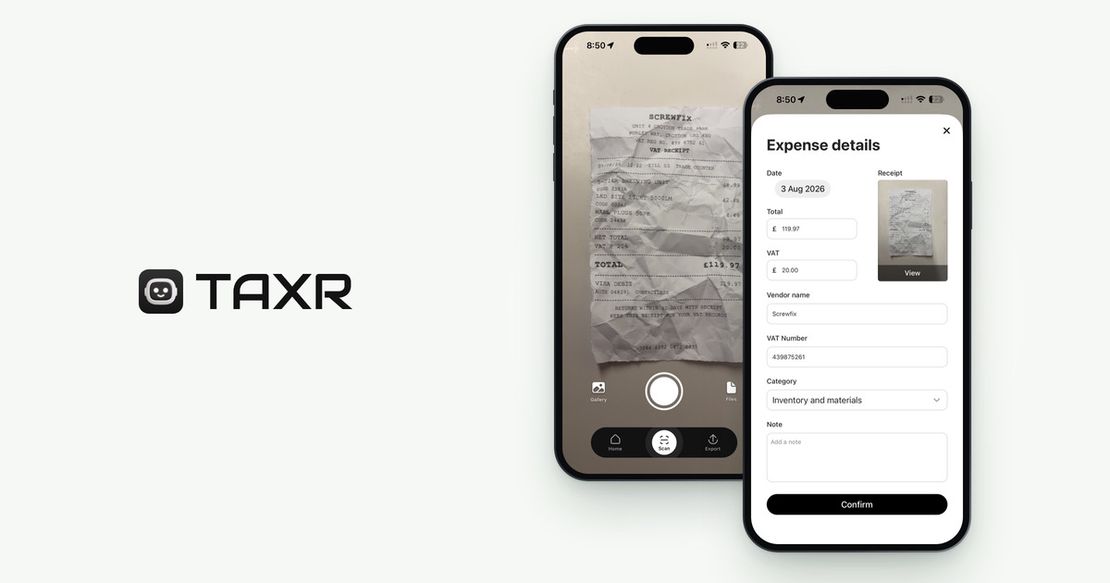
A records app like Taxr has one job: turn your receipts into clean, categorised digital records. Photograph a receipt and AI extracts the vendor, date, total and VAT, then suggests a tax-aligned expense category for you to confirm. Export to Excel or PDF and you have something to hand to an accountant, or to import into filing software that accepts the file.
What it deliberately doesn't do is submit anything to HMRC. There's no API connection, no quarterly update button, no final declaration. It's a different category of product, not a missing feature. The honest way to describe it: digital expense records for your accountant, or for your MTD software if it can import the Excel file, nothing more.
HMRC explicitly supports combining them
This is the model HMRC built for, not a workaround. HMRC explicitly supports combining dedicated record-keeping software with separate filing or bridging software, provided the two are connected by digital links, meaning data flows across without anyone re-typing it by hand.
That's a deliberately loose standard. Even a spreadsheet still counts as your records layer, as long as it's digitally linked (not copied and pasted) into MTD-compatible filing software. So the choice was never "find one app that does everything." It's "pick a records layer, pick a filing layer, and make sure they're digitally linked."
For the detail on what counts as a digital record and what a digital link actually requires, see what counts as digital records for MTD.
Who needs which
Everyone inside MTD for Income Tax needs filing software, full stop. They can use it themselves, or their accountant can use it on their behalf. That part isn't optional once you're mandated: over £50,000 in qualifying income from 6 April 2026, over £30,000 from 6 April 2027, over £20,000 from 6 April 2028. Not sure where you land? Our qualifying income guide covers how it's calculated, and the complete MTD guide for the self-employed covers the whole picture.
A records app is optional, but it earns its place quickly if your expenses are receipt-heavy rather than bank-feed-clean. If most of your spending shows up automatically through a connected bank feed, filing software's own expense capture might be enough on its own. If you're dealing with paper receipts, cash purchases, or mixed-use costs (a phone bill that's part business, a home office percentage), a dedicated records app removes the most tedious and error-prone part of getting ready for a quarterly update.
Still weighing up an accountant, filing software, or both? Do I need an accountant for MTD walks through that decision.
Price, in general terms
Filing software and records apps aren't priced the same way, because they're not doing the same amount of work.
Xero, QuickBooks, Sage and FreeAgent are full bookkeeping platforms (invoicing, bank feeds, reporting and MTD filing bundled together), and they're priced as ongoing business software subscriptions, with plans that vary by feature tier and business size. Rather than guess at a figure here, check each provider's own pricing page: it's the only reliable way to see what applies to your setup.
Taxr's pricing is simple because the product is narrow: you can try it free with 10 scans, and after that Taxr Pro is £2.99 a month or £29.99 a year on the App Store, and £2.89 a month or £28.99 a year on Google Play. That covers your expense records alone: no invoicing, no payroll, no filing connection to HMRC. It's priced like a utility, because that's what it is.
Can you use just one?
Filing software alone: yes, if you're disciplined about typing every expense in directly. Xero, QuickBooks, Sage and FreeAgent will all take manually entered expenses alongside anything that arrives through a bank feed, and plenty of sole traders run this way successfully. Where it gets tedious, and where mistakes creep in, is paper receipts that need transcribing by hand, and mixed-use costs that are easy to fudge or forget when you're typing from memory weeks later.
Records app alone: no. Taxr, or any records app, doesn't submit anything to HMRC. However good your records are, you still need filing or bridging software, run by you or by your accountant, to actually send the quarterly update. Good records without a filing connection means the paperwork exists but the legal obligation doesn't get met.
Build the habit, whichever software you choose
Whatever filing software you end up with, or whichever accountant handles it for you, the quarterly totals it submits are only as good as the records behind them. That's the habit MTD assumes: capture expenses as they happen, categorised and digital, ready to hand off.
Taxr does exactly that part. Photograph a receipt and the AI pulls out the vendor, date, total and VAT and suggests a UK tax category, and the record is ready to export as Excel or PDF whenever you or your accountant need it. It covers the expense side of your records and sits alongside whichever MTD software you choose.
Download Taxr and start free with your next receipt.