Making Tax Digital Exemptions: Who's Out of Scope for MTD
Table of Contents
In short: You're out of scope for HMRC's Making Tax Digital for Income Tax if your qualifying income hasn't crossed £50,000, £30,000 or £20,000 in the relevant tax year, or you have no self-employment or property income. Over a threshold, you can apply for the digital exclusion exemption on grounds of age, disability or a health condition, location or religion.
Crossing an income threshold isn't the only thing that determines whether you file Making Tax Digital quarterly updates. Some people are simply out of scope for now; others qualify for a formal exemption even though their income would otherwise mandate them. The two aren't the same thing, and the process for one of them, the digital exclusion exemption, is specific enough that it's worth getting right. Here's how MTD exemptions actually work, and exactly how to apply.
Disclaimer: This article provides general information only and does not constitute tax advice. Consult a qualified accountant or tax adviser about your circumstances.
Out of scope versus exempt
These get used interchangeably, but they're different:
- Out of scope means MTD for Income Tax simply doesn't reach you yet: your qualifying income hasn't crossed £50,000, £30,000 or £20,000 in the relevant tax year (see MTD from April 2027: the £30,000 threshold and MTD from April 2028: the £20,000 threshold for the full timeline, or the complete Making Tax Digital guide for the full picture), or you have no self-employment or property income at all. There's nothing to apply for. You're not in the system, though you can opt in voluntarily if you want to.
- Exempt means your qualifying income would otherwise mandate you, but HMRC has formally excused you from the digital-records-and-quarterly-updates regime on specific grounds. Exemption doesn't remove you from Self Assessment: you carry on filing your annual return the way you always have. It removes you from the MTD-specific requirements only.
Who qualifies for the digital exclusion exemption
HMRC's digital exclusion exemption is for people who genuinely can't reasonably be expected to keep digital records or use MTD-compatible software. The recognised grounds are:
- Age
- Disability or a health condition
- Location: for example, you can't get internet access at your home or business
- Religion: where your beliefs are incompatible with using electronic communications or software
It's aimed at people for whom digital record-keeping is genuinely impractical, not merely inconvenient, so a general "I'd rather not" won't qualify.
How to apply
Applications go through Self Assessment general enquiries. If you're applying by post, HMRC asks you to head the letter Making Tax Digital for Income Tax: digitally excluded application so it's routed correctly. Be ready to explain which of the grounds above applies to you and why digital record-keeping isn't practical in your circumstances.
HMRC aims to respond within around 28 days. If your application is refused, you have 30 days to appeal the decision. Given those timeframes, it's worth applying well ahead of whichever MTD start date would otherwise apply to you, rather than leaving it until close to your sign-up deadline.
How long an exemption lasts
If your application is granted, you don't have to use MTD for Income Tax while the exemption applies. HMRC says a digitally excluded exemption may be permanent, depending on your circumstances. Exemptions granted on other grounds can be temporary: some last until at least April 2027, which means you won't need to sign up until the 2027-28 tax year at the earliest. Either way, it's sensible to treat any correspondence from HMRC about your exemption as something to keep an eye on rather than file away and forget. In the meantime, you continue with Self Assessment exactly as before: the exemption only removes the digital records and quarterly update requirements, not your annual filing obligation.
Other reasons you might be out of scope right now
A few situations are worth distinguishing from formal exemption, since none of them require an application:
- Your qualifying income is under every published threshold. MTD for Income Tax simply isn't mandatory for you yet. See how qualifying income is calculated if you're not sure where you stand.
- You're not yet registered for Self Assessment, or haven't filed a return in the last two years. MTD sign-up itself requires an existing Self Assessment registration with a return submitted within the last two years, so very newly self-employed people or new landlords may have a short on-ramp before MTD becomes operationally relevant to them.
- Your income doesn't come from self-employment or property at all. MTD for Income Tax is built specifically around those two income types. If your Self Assessment return is entirely PAYE, investment, or pension income, this regime doesn't apply to you.
If your circumstances change
Exemption status isn't necessarily fixed forever in either direction. If you're currently exempt and your circumstances change (you gain reliable internet access, for instance), it's worth telling HMRC. Equally, if you become digitally excluded after you're already filing quarterly updates, you can apply for exemption at that point through the same Self Assessment general enquiries route, and keep using MTD while you wait for HMRC's decision. None of this is guesswork you should do alone; if you're close to a threshold or a borderline exemption case, a qualified adviser or accountant can help you get the application right the first time.
Good records still help, exemption or not
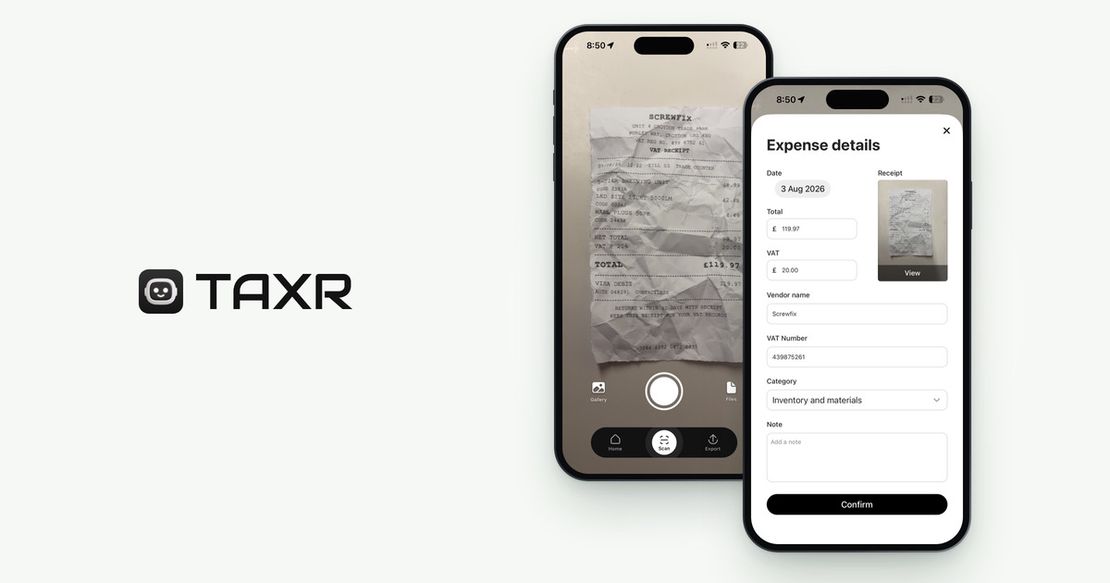
If you're out of scope or successfully exempt, you're not required to keep MTD-style digital records, but Self Assessment itself doesn't go away, and clean expense records make that annual return easier regardless. Taxr scans your receipts with AI to capture the vendor, date, total and VAT, suggests a tax-aligned category for each one, and lets you export clean Excel or PDF summaries whenever you or your accountant need them. Taxr isn't MTD software and doesn't claim to be. It's a straightforward way to keep your expense records organised, MTD or not.
You can try Taxr free with 10 scans. After that, Taxr Pro is £2.99 a month or £29.99 a year on the App Store, and £2.89 a month or £28.99 a year on Google Play. Taxr runs on iPhone, iPad and Android.