Digital Receipt Management vs Paper Receipts: What the ATO Accepts
- Taxr Team
- Expense management
- Updated
Table of Contents
If you're still stuffing paper receipts into a shoebox, a drawer, or the glovebox of your car, you're making tax time harder than it needs to be. The ATO accepts photos and scans of receipts as records, and its guidance for businesses lists the advantages of keeping records digitally. Digital receipt management solves nearly every problem that paper receipts create. This guide explains why paper receipts are failing you, what the ATO requires from digital records, and how to make the transition without losing anything.
Disclaimer: This article provides general information only and does not constitute tax advice. Consult a registered tax agent for advice specific to your circumstances.
The ATO Accepts Digital Receipts
This surprises many small business owners: you do not need to keep paper originals. The ATO's official position is that a digital copy of a receipt is valid evidence for tax purposes, provided it's a true and clear copy of the original.
According to the ATO's record-keeping guidelines, you can store records electronically as long as they are legible, complete, and accessible for the full retention period (five years from lodgement). A clear phone photo, a scanned PDF, or an emailed retailer receipt all count. Once you have a compliant digital copy, you can throw the paper original away. The ATO's shadow economy compliance funding was also extended and expanded in the 2025-26 Budget: see what the ATO's crackdown means for cash-based businesses if any of your clients deal heavily in cash.
Why Paper Receipts Fail You
Paper receipts have been the default for decades, but they were never a good record-keeping system. Here's why they consistently let people down:
Thermal Paper Fades
Most receipts are printed on thermal paper, which reacts to heat rather than using ink. The problem is that it also reacts to light, friction, and time. A thermal receipt kept in a wallet, a bag or a hot car can fade until it's unreadable. Given that the ATO requires records for five years, thermal paper is fundamentally incompatible with your legal obligations.
Paper Receipts Get Lost
Receipts are small, flimsy, and easy to misplace. They slip out of wallets, blow out of car doors, and get washed in pockets. A lost receipt doesn't always mean a lost deduction, but you'll need other evidence the ATO accepts, and if the ATO reviews a claim you can't support, it can remove it.
Paper Is Hard to Organise
Sorting, categorising, and filing paper receipts takes time. At EOFY, you're sifting through hundreds of slips of paper, trying to match them to bank statements. It's slow, frustrating, and error-prone.
Paper Takes Physical Space
Dedicating drawer or shelf space to five years of paper receipts feels absurd in 2026, especially for sole traders working from home.
Why Digital Receipt Management Is Better
Digital receipts solve every problem that paper creates, and they add capabilities that paper simply can't match.
- They don't fade. A photo or scan looks exactly the same in year five as it did on day one. No degradation, no risk of becoming unreadable.
- They can't be lost (if backed up). Cloud-stored receipts are protected against loss, theft, and disaster. Your phone could be stolen and your laptop could die, and your receipts remain safe.
- They're searchable. Need that $450 software purchase from October? Type a vendor name and find it in seconds instead of flipping through months of filed paper.
- They're shareable. Export a file or share access with your accountant instead of photocopying stacks of paper. Clean, categorised data means your accountant spends less time (and charges you less).
- They can be categorised automatically. AI-powered receipt scanning apps read the contents and suggest a category, so you only have to confirm it. For more on how this works, see our guide to how AI receipt scanners work.
ATO Requirements for Digital Records
Going digital doesn't mean anything goes. The ATO has specific requirements for electronic records, and failing to meet them means your records may not be accepted as evidence. Here's what the ATO expects:
The Image Must Be Clear and Complete
Your digital copy must be a true and clear reproduction of the original. Every detail on the receipt must be readable: the supplier name, ABN, date, description of goods or services, amount, and GST (if applicable). A blurry photo, a cropped image, or a scan that cuts off the edges won't meet the standard.
All Details Must Be Visible
If the receipt has information on both sides (front and back), you need to capture both. If it's a long receipt that doesn't fit in one photo, take multiple images or use a scanning app that stitches them together. The ATO needs to see everything the paper original showed.
Records Must Be Stored Securely for Five Years
Your digital records must be kept for five years from the date you lodge the return they relate to. "Stored securely" means backed up and protected, not just sitting in your phone's camera roll where a factory reset could wipe them out. Cloud storage, external backups, or a dedicated app with cloud sync all meet this requirement. Keeping receipts only on a single device does not.
Records Must Be in English (or Readily Translatable)
If you receive receipts in another language, the ATO may ask for a translation. For most Australian businesses, this isn't an issue, but it's worth noting if you purchase supplies from overseas vendors.
How to Transition from Paper to Digital
If you've been using paper receipts for years, switching is simpler than you think.
Start with new receipts. Don't worry about digitising your entire archive. Capture every new receipt digitally from today: take a clear photo or use a scanning app the moment you receive the receipt. Once the digital copy is saved, the paper original has served its purpose.
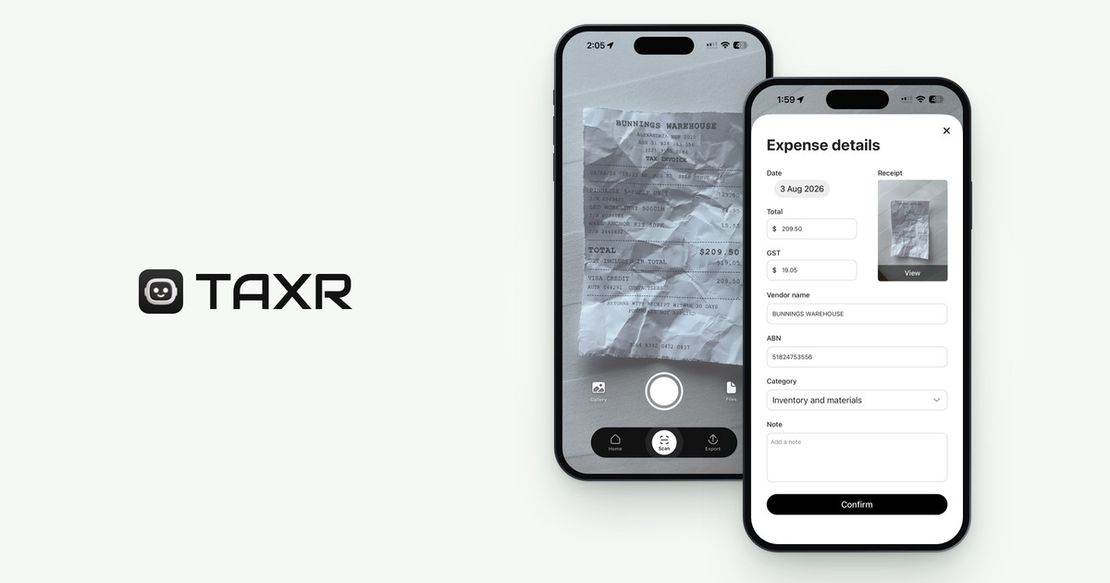
Choose your tool. You have several options: a phone camera paired with cloud storage (free but manual), accounting software like Xero or MYOB (powerful but overkill for many sole traders), or a dedicated receipt scanning app like Taxr that combines scanning, category suggestions, GST extraction and cloud storage in one step.
Scan as you go. The best time to scan a receipt is immediately after the transaction. If you wait until the end of the week, receipts accumulate and the task feels burdensome. If you scan as you go, it takes seconds and never piles up.
Back up your records. Make sure your records are backed up to at least one additional location. Cloud sync handles this automatically for most apps.
Best Practices for Digital Receipt Management
- Use consistent categories that align with your tax return or BAS. For guidance, see our freelancer expense categories guide.
- Review monthly. Spend ten minutes catching miscategorised items and confirming everything is there.
- Keep email receipts too. Save online purchase receipts into your receipt app (Taxr can import the PDF from Files) instead of leaving them buried in your inbox.
- Verify before you bin. Make sure each digital copy is clear and complete before discarding the paper original.
For more on building an effective expense tracking system, see our guide to how to track business expenses as a sole trader.
Make the Switch Today
Paper receipts were never designed to be a record-keeping system. They fade, they get lost, and they create unnecessary work at the worst possible time: tax season. Digital receipt management is faster, more reliable, and fully accepted by the ATO. The only question is why you haven't switched already. Download Taxr and start capturing your receipts digitally: it takes about 5 seconds per receipt.