The Complete Guide to Scanning and Storing Receipts for Tax Compliance
Table of Contents
If you’re claiming a tax deduction, you need the receipt to prove it. That’s the fundamental rule, and it hasn’t changed. What has changed is how you’re allowed to store that proof. The ATO now fully accepts digital copies of receipts, which means you don’t need to keep the physical paper – but the digital version needs to meet specific standards. This guide covers everything you need to know about scanning and storing receipts for tax compliance, from ATO requirements and what makes a valid receipt through to best practices for organising your digital records.
Disclaimer: This article provides general information only and does not constitute tax advice. Consult a registered tax agent for advice specific to your circumstances.
Getting this right protects you in the event of an ATO audit and ensures you never lose a legitimate deduction to a faded piece of thermal paper.
ATO Requirements for Receipt Storage
The ATO’s rules on record keeping are detailed in their guidance on records you need to keep. Here are the key requirements:
Digital copies are accepted. You do not need to keep the original paper receipt if you have a legible digital copy. The ATO has accepted electronic records for years, and their guidance explicitly states that photos or scans of receipts are valid.
Records must be clear and legible. The digital copy must be readable. If you’ve ever tried to photograph a crumpled receipt in poor lighting and ended up with a blurry, unreadable image, you know this isn’t always as simple as it sounds. The text, amounts, and dates must all be clearly visible.
Records must be stored securely. You need to protect your records from loss, damage, and unauthorised access. A single copy on your phone doesn’t meet this standard – phones get lost, stolen, and damaged. You need backup storage.
Records must be kept for five years. The clock starts from the date you lodge your tax return for the relevant income year, not from the date of the purchase. If you lodge your 2026-27 return in October 2027, you need to keep those records until October 2032.
Records must be in English or be readily convertible to English. If you have receipts in another language, you need a translation or a note explaining the expense.
What Makes a Valid Receipt
Not every piece of paper a vendor hands you qualifies as a receipt for tax purposes. A valid receipt must contain:
- The name or business name of the supplier – “ABC Office Supplies Pty Ltd,” not just a generic terminal printout
- The date of the transaction – the date you made the purchase or the date the service was provided
- The amount paid – the total amount, clearly stated
- A description of the goods or services – “2x reams A4 paper, 1x ink cartridge” is adequate; “misc items” is not
- The GST amount – if the supplier is registered for GST, the receipt must show the GST component. This is essential for claiming input tax credits on your BAS
For purchases under $82.50 (GST inclusive), the ATO accepts a simplified tax invoice that doesn’t need to show your name or ABN as the buyer. For purchases of $82.50 or more, the vendor should provide a tax invoice that includes your details.
What about email receipts? Digital receipts sent to your email are valid records. Save them in a dedicated folder or forward them to your receipt management system.
What about credit card statements? A credit card statement alone is not a receipt. It shows the amount and vendor but doesn’t describe what was purchased or show the GST amount. It can support a claim alongside other records, but it shouldn’t be your only proof.
Scanning Best Practices
The quality of your scan determines whether it’s a valid record. A blurry, partially-cropped photo of a receipt is effectively no receipt at all. Follow these practices:
Use good lighting. Natural light or a well-lit room. Avoid shadows falling across the receipt, especially over the total or date.
Place the receipt on a flat surface. Lay it flat on a table or desk. This keeps the text in focus and prevents curling edges from obscuring information.
Capture the full receipt. Every line must be visible, from the vendor name at the top to the total and GST amount at the bottom. Better to include a bit of table around the edges than to crop too tightly.
Check the quality immediately. Zoom in and verify the date, amount, vendor name, and item descriptions are all readable. If anything is blurry, scan again while you still have the physical receipt.
Scan immediately. This is the single most important habit. Scan the receipt the moment you receive it – at the counter, in the car park, at your desk. Thermal paper receipts can become unreadable within weeks if exposed to heat or sunlight.
For a deeper look at how AI-powered scanning works and why it’s more reliable than manual entry, see our article on how AI receipt scanning works.
Storage Options: From Bad to Best
Where you store your scanned receipts matters almost as much as the quality of the scan.
Phone gallery – not recommended. Receipt photos get mixed in with personal images, there’s no metadata (vendor, amount, category), no reliable backup, and exporting 200 photos for your accountant is impractical.
Cloud storage (Google Drive, Dropbox, iCloud) – better. You get backup and folder-based organisation, but it’s all manual. You still need a separate spreadsheet to record amounts, GST, and categories. Your accountant wants a categorised expense report, not a folder of images.
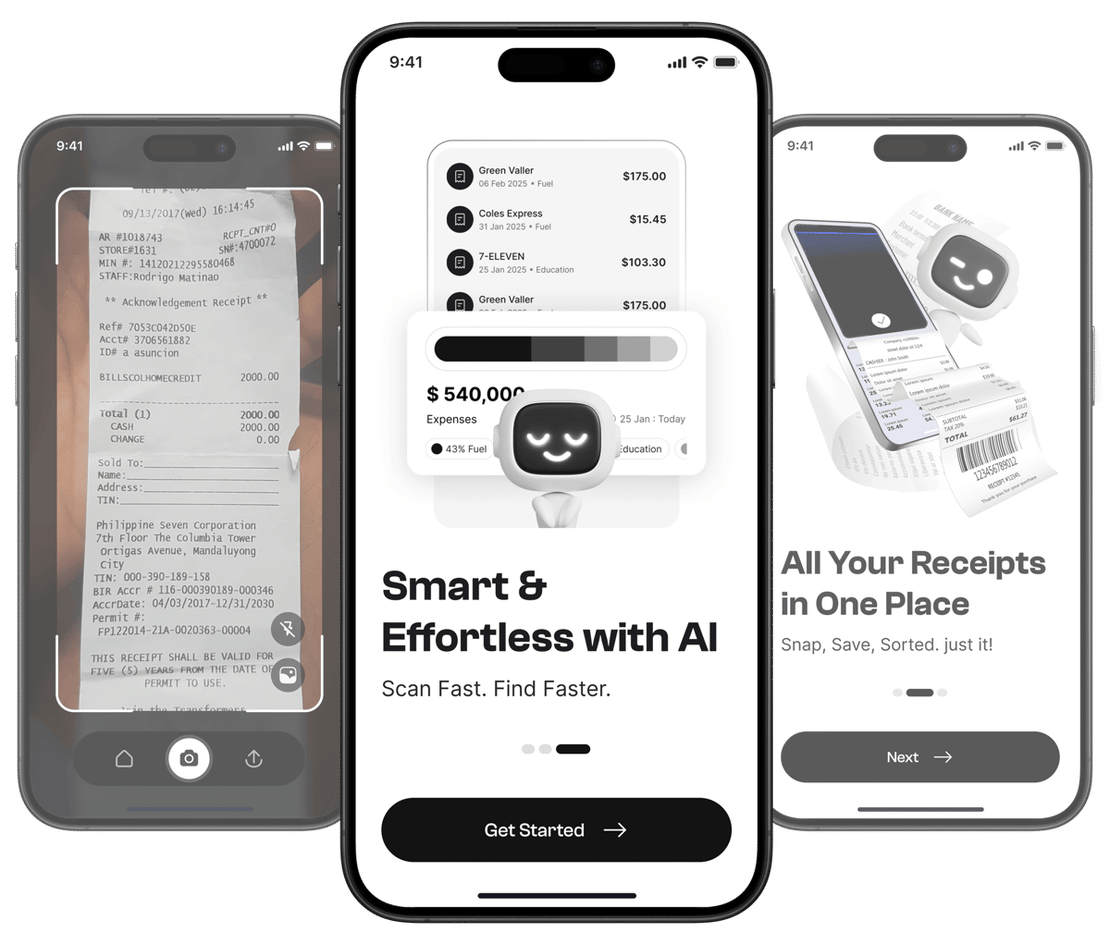
Dedicated receipt app – best. A purpose-built app like Taxr combines scanning, AI data extraction, automatic categorisation, secure cloud backup, and clean exports in one tool. Scan a receipt and the date, amount, vendor, GST, and category are captured automatically. Generate a categorised Excel or PDF report with a few taps – complete with category totals, GST amounts, and date ranges. Your records stay in the app for the full five-year ATO retention period.
Organising Your Scanned Receipts
However you store your receipts, organisation makes them useful. Without it, you just have a digital version of the shoebox. Three strategies work well:
- By date – group by month or quarter. Simple and effective for BAS preparation.
- By category – sort into ATO-aligned buckets like motor vehicle, home office, phone and internet, and office supplies. This is the most useful structure for tax return preparation. For a breakdown of what belongs in each category, see our guide on freelancer expense categories explained.
- By project or client – useful if you need to invoice clients for reimbursable expenses or track per-project profitability.
Most dedicated receipt apps, including Taxr, support all three methods simultaneously – view by date, filter by category, or search by vendor without choosing just one structure.
When to Scan: The Golden Rule
Scan the receipt immediately. Not tonight. Not this weekend. Not before the BAS is due. Immediately.
Every day you delay introduces risk:
- The receipt gets lost. Pockets, wallets, car seats, desk drawers – receipts migrate and disappear.
- Thermal paper fades. Many retail receipts are printed on thermal paper that degrades rapidly, especially in heat. A receipt left on your car dashboard can become blank within days.
- You forget the context. A $67 charge at a restaurant is a deductible business meal if it was with a client. It’s a personal expense if it was dinner with friends. In three months, you won’t remember which.
The five-second habit of scanning a receipt the moment you receive it is the single most impactful change you can make for your financial record keeping.
What to Do About Lost Receipts
Despite your best efforts, some receipts will go missing. When that happens:
- Check your email. Many vendors send email receipts automatically, or you can request a duplicate after the fact.
- Check your bank statement. It won’t replace a receipt, but it provides the date, amount, and vendor name as a starting point.
- For expenses under $200, the ATO may accept alternative evidence – a bank statement combined with a diary note explaining the business purpose. This is not a blank cheque; the ATO still expects reasonable effort to keep proper records.
- For larger expenses, contact the vendor and request a duplicate receipt or invoice.
- Statutory declarations can be used in limited circumstances but are a last resort, not a regular practice.
Build the Habit, Not Just the System
The best receipt storage system in the world fails if you don’t use it consistently. With an app like Taxr, scanning a receipt takes less than five seconds. Do it at the counter, in the car park, or at your desk, and you’ll never lose a deduction to a faded receipt again.
For a comparison of digital versus paper receipt management approaches, see our article on digital receipt management vs. paper.