Scan receipts. Stay tax-ready.
Snap a receipt and Taxr reads the vendor, date, total and tax, then suggests a tax category for your country.


Start free. No subscription needed to begin.
For iPhone, iPad and Android.


From shoebox to spreadsheet
One paper receipt, scanned and exported to a tax-ready report, in less time than your coffee gets cold.
Scan
Take a photo of a receipt, or pick a photo or PDF you already have. A scan takes about 5 seconds.
Check
Taxr fills in the vendor, date, total and tax, and suggests a category from your country's list. You confirm before it saves.
Export
Pick a date range and Taxr emails an Excel or PDF report to you or your accountant.
Everything in one place at tax time
Taxr uses your country's tax categories, like Schedule C in the US, ATO categories with GST in Australia, and self-employment categories with VAT in the UK. It's localized for 195+ countries.
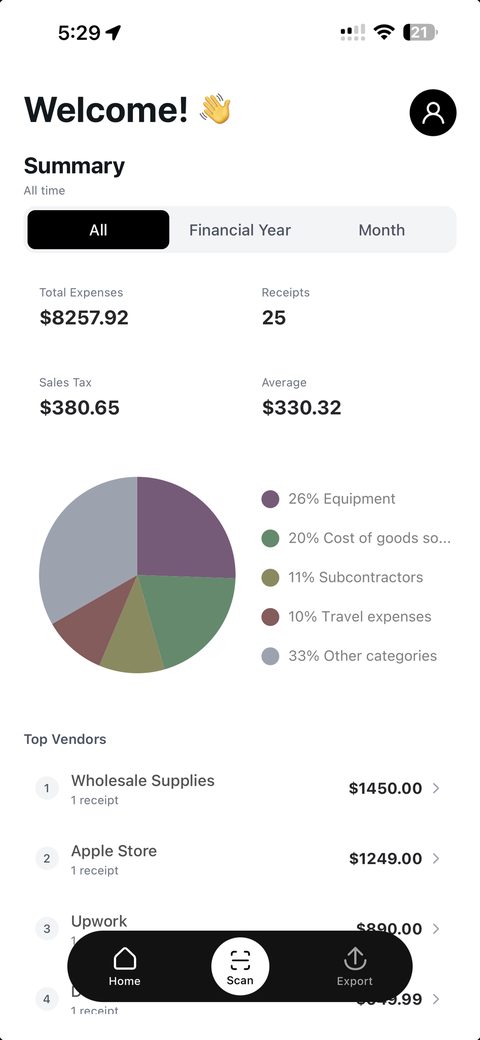
Totals by tax category
What you spent, the tax you paid and a breakdown by category, for the month, the financial year or all time.
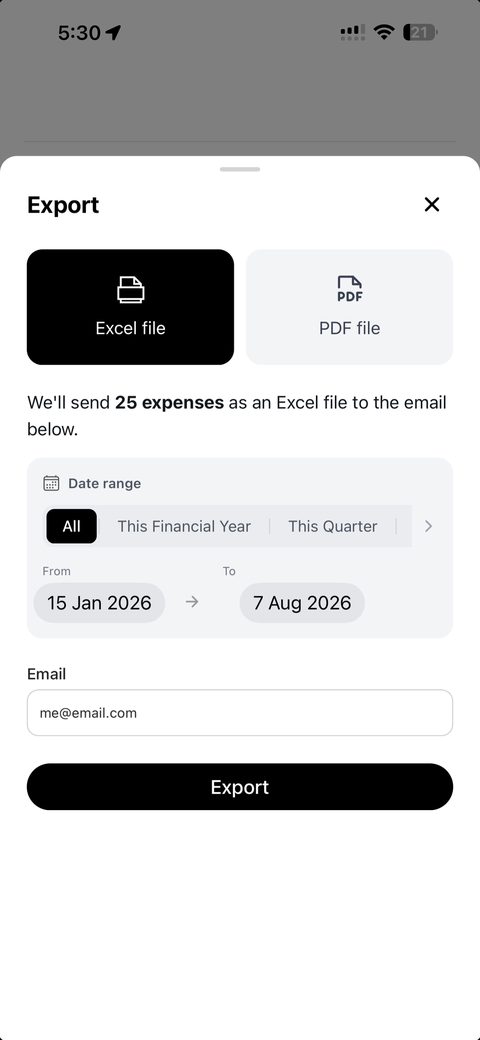
Send it to your accountant
Excel or PDF for any date range, sent to you or your accountant.
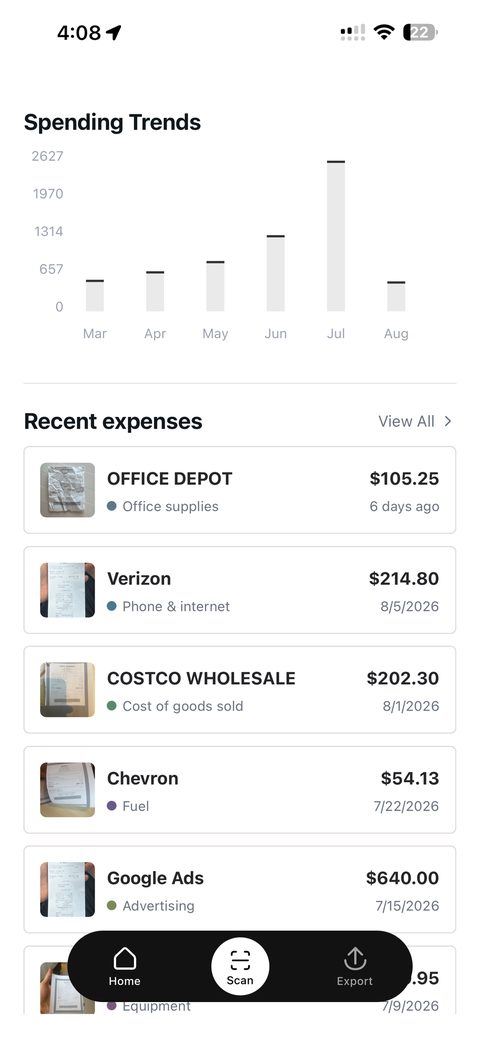
Proof for every expense
Each expense keeps a photo of its receipt, stored encrypted in your account.


Reviews from the App Store
From Taxr users in Australia, quoted word for word.
Rated 5 out of 5 stars
Totally worth the subscription. Costs as much as a cup of coffee, but buys me back days in pedantic work every month
Amanda M! App Store review Rated 5 out of 5 stars
Finally i found this brilliant app, ive lost many receipts and i always wondered what could be a solution for this issue.
Kam Beh App Store review Rated 5 out of 5 stars
It made life easier ridiculously easier. I just snap a photo of my receipts and that's it.
Sam Adam97 App Store review Rated 5 out of 5 stars
Used to spend a few days at the end of the financial year. Now only 5 seconds and done.
Amor58016 App Store review
Free to start
Your first 10 scans are free. After that, Taxr Pro gives you unlimited scans.
- Monthly
- US$2.99 a month
- Yearly
- US$29.99 a year on the App Store US$31.99 a year on Google Play
Prices in US dollars. Your app store shows the price in your currency.
Your receipts stay private
- Receipt images are stored encrypted.
- The AI that reads your receipts doesn't use them to train models.
- No bank login. Taxr works from the receipts you scan.
- Deleting your account deletes your data.
Common questions
See all questionsIs Taxr free?
Taxr is free to start: your first 10 scans are free. After that, Taxr Pro gives you unlimited scans for US$2.99 a month, or US$29.99 a year on the App Store (US$31.99 on Google Play). Your app store shows the price in your currency. Need a few more free scans before you decide? Email support@taxr.io.
What does Taxr read from a receipt?
The vendor, date, total and tax. It works from a photo or a PDF, and you check the details before the expense is saved.
Does Taxr work with my country's taxes?
Taxr is localized for 195+ countries: it uses your country's currency, tax label and expense categories. In the US that means Schedule C categories, in Australia ATO categories with GST, and in the UK self-employment categories with VAT.
How do I get my expenses to my accountant?
Export an Excel or PDF report for any date range, and Taxr emails it to you or straight to your accountant. The Excel file has a link to each receipt image, and the links work for 48 hours after the export. Accountants can also see their clients' receipts in Taxr's free portal.
Which devices does Taxr work on?
iPhone, iPad and Android.
Is my data safe?
Receipt images are stored encrypted, the AI that reads your receipts doesn't use them to train models, and deleting your account deletes your data. Read more on our security page.
Are you an accountant?
Taxr has a free portal for accountants, where you can see your clients' receipts in one place.

Try Taxr free
Download it for iPhone, iPad or Android. No subscription needed to start.